

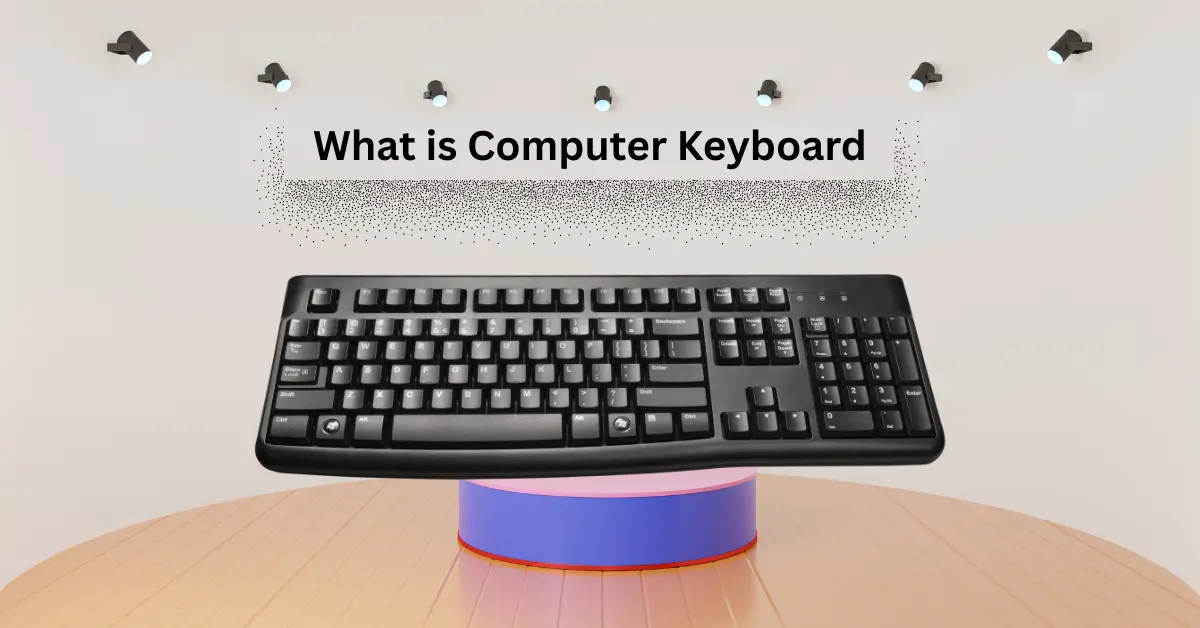
Here is a tool people use every day but rarely think about: the computer keyboard. It is full of letters, numbers, and special keys. They are used for typing, working, playing games, and many other tasks on a computer. Here is a complete explanation of what is computer keyboard and its types, parts, and benefits in detail for students.
What is a computer keyboard?
A computer keyboard is a tool people use to type on a computer. It is full of letters, numbers, and special keys. There are keys for writing, numbers, and commands. They are used in typing documents, sending messages, and playing games.
History of Computer Keyboard
A computer keyboard has a long history. It is made to help people type faster and give instructions to computers. The first keyboards were inspired by typewriters. The typewriter was invented by Christopher Latham Sholes in 1868. Then, keyboards started to change for computers in the 20th century.
Early Typewriters (1868–1940s)
The first typewriter by Sholes was made in 1868. It had letters and numbers arranged to prevent jamming. This layout served as the basis for modern keyboards. People used typewriters to write documents before computers were invented.
First Computer Keyboards (1940s–1970s)
The first computer keyboards appeared in the 1940s. They were used with early computers, such as the ENIAC. These keyboards were very big and heavy. They are not like today’s keyboards; they were used to send instructions to the computer.
Modern Keyboards (1980s–Present)
In the 1980s, keyboards became smaller and easier to use. The QWERTY layout became standard. Then new types appeared, such as mechanical, membrane, and wireless keyboards. Modern keyboards are fast, light, and very helpful for typing and controlling computers.
How a Keyboard Works
A keyboard is a tool that sends instructions to a computer. When a person presses a key, the keyboard sends a signal to the computer indicating which key was pressed. The computer then shows the letter, number, or symbol on the screen. Keyboards are fast, simple, and help people type and work easily.
- Each key has a switch underneath.
- When a key is pressed, it closes a circuit.
- The keyboard sends a signal to the computer.
- The computer receives the signal and shows the character on the screen.
- Some keyboards are wireless; they send signals using Bluetooth or radio.
- Special keys like Ctrl, Alt, and Shift give extra commands.
- Mechanical and membrane keyboards work differently but achieve the same result.
Parts of a Computer Keyboard
A computer keyboard has many parts. Each part has its own job. They work together to help people type, give commands, and control the computer. Knowing the parts makes it easier to use the keyboard correctly.
Here are 10 Parts of a Keyboard:
- Alphanumeric Keys: Letters and numbers for typing words and numbers.
- Function Keys (F1–F12): Special keys for shortcuts and commands.
- Navigation Keys: Arrow keys, Home, End, Page Up, Page Down for moving on the screen.
- Numeric Keypad: A group of keys for fast number entry.
- Special Keys: Ctrl, Alt, Shift, Windows, or Command key for extra commands.
- Spacebar: Makes space between words.
- Enter Key: Sends the command or moves to the next line.
- Backspace Key: Deletes letters or numbers.
- Escape (Esc) Key: Cancels a command or exits a screen.
- Keyboard Frame: The main body that holds all the keys.
Types of Computer Keyboards
There are many types of computer keyboards. They are made to help people type, work, and play games easily. Each keyboard has a different style and works in its own way.
Here are 10 Types of Keyboards:
- Mechanical Keyboards: Keys are strong and clicky. They are good for fast typing and gaming.
- Membrane Keyboards: Keys are soft and quiet. They are light and affordable.
- Scissor-Switch Keyboards: Keys are flat and easy to press. Common in laptops.
- Wireless Keyboards: Do not use wires. Connect via Bluetooth or other wireless methods.
- Ergonomic Keyboards: Designed to reduce hand strain. Good for long typing sessions.
- Gaming Keyboards: Extra keys and fast response for gamers. Often have a backlight.
- Flexible Keyboards: Made of soft material. Can roll up for easy carrying.
- Virtual Keyboards: On-screen keyboards used on tablets and smartphones.
- Projection Keyboards: Project a keyboard on a flat surface. Detect finger movements to type.
- Multimedia Keyboards: Have extra buttons for music, video, and internet shortcuts.
Features of a Computer Keyboard
A computer keyboard has many features that make typing and using a computer easy. Each feature helps people work faster, type correctly, and better control the computer.
Here are 10 Features of Keyboard:
- Alphanumeric Keys: Letters and numbers for typing words and numbers.
- Function Keys (F1–F12): Special keys for shortcuts and commands.
- Navigation Keys: Arrow keys, Home, End, Page Up, Page Down to move on the screen.
- Numeric Keypad: A group of keys for fast number entry.
- Special Keys: Ctrl, Alt, Shift, Windows/Command key for extra commands.
- Backlight: Lights up keys for typing in the dark (if available).
- Ergonomic Design: Shaped to reduce hand strain and increase comfort.
- Multimedia Keys: Quick access to music, videos, and internet functions.
- Wireless Connectivity: Allows use without cables through Bluetooth or radio.
- Durable Build: Strong keys and frame for long-lasting use.
Applications of a Computer Keyboard
A computer keyboard is used in many ways. It helps people type, work, and control the computer. Each application makes using a computer faster and easier.
Here are 10 Applications of Keyboard:
- Typing Documents: Used for writing letters, essays, reports, and other text.
- Sending Emails and Messages: Helps type and send messages quickly.
- Data Entry: Enter numbers and information in software and spreadsheets.
- Internet Browsing: Type website addresses and search queries.
- Gaming: Control characters, actions, and commands in games.
- Programming: Write code and commands for software development.
- Shortcut Commands: Use keys like Ctrl, Alt, and Shift for fast actions.
- Multimedia Control: Play, pause, or adjust volume using special keys.
- Laptop and Desktop Use: Main tool to interact with computers of all types.
- Learning and Education: Help students type, practice, and learn faster.
Advantages and Disadvantages of a Computer Keyboard
A computer keyboard is a main tool for typing and controlling a computer. It helps people work faster, type easily, and perform many tasks. But like other tools, it has both advantages and disadvantages.
10 Advantages of Keyboard
- It is fast for typing words and numbers.
- Helps people write documents easily.
- Allows use of shortcut keys for quick actions.
- Supports gaming and entertainment controls.
- Can be used for programming and coding.
- Works with all types of computers and laptops.
- Some keyboards are ergonomic, reducing hand strain.
- Multimedia keys make controlling music and video simple.
- Wireless keyboards allow freedom of movement.
- Durable keyboards last for many years.
10 Disadvantages of Keyboard
- Long use may cause hand or wrist strain.
- Mechanical keyboards can be noisy.
- Membrane keyboards may wear out faster.
- Some keyboards are expensive.
- Wireless keyboards need batteries or charging.
- Small keys on laptops may be hard to press.
- Flexible keyboards may be less comfortable to type.
- Some keyboards lack multimedia keys.
- Can collect dust and dirt if not cleaned.
- Broken keys can make typing difficult.
Conclusion
A computer keyboard is a main tool for typing, working, and controlling a computer. It is simple, fast, and easy to use. There are many types, parts, and features that help people in different tasks. Using the right keyboard can make typing faster, reduce hand strain, and improve productivity. Keyboards are important for students, workers, gamers, and everyone who uses a computer.
FAQs About What is Computer Keyboard
Here are some questions about what is computer keyboards for students.
Who invented the first keyboard?
The first keyboard came from typewriters, invented by Christopher Latham Sholes in 1868.
How does a keyboard work?
When a key is pressed, the keyboard sends a signal to the computer. The computer shows the letter, number, or symbol on the screen.
What are the main parts of a keyboard?
Alphanumeric keys, function keys, navigation keys, numeric keypad, special keys, spacebar, and enter key are the main parts.
How many types of keyboards are there?
There are many types, like mechanical, membrane, wireless, ergonomic, gaming, and virtual keyboards.
What is a mechanical keyboard?
It is a keyboard with strong, clicky keys. They are good for typing fast and gaming.
What is a membrane keyboard?
A membrane keyboard has soft, quiet keys. They are light and usually cheaper than mechanical keyboards.
Can keyboards be wireless?
Yes, wireless keyboards use Bluetooth or radio signals to connect to the computer without cables.
What are function keys used for?
Function keys (F1–F12) are used for shortcuts and special commands on a computer.
Why is a keyboard important?
A keyboard is important because it helps people type, work, play games, and control the computer easily.
