

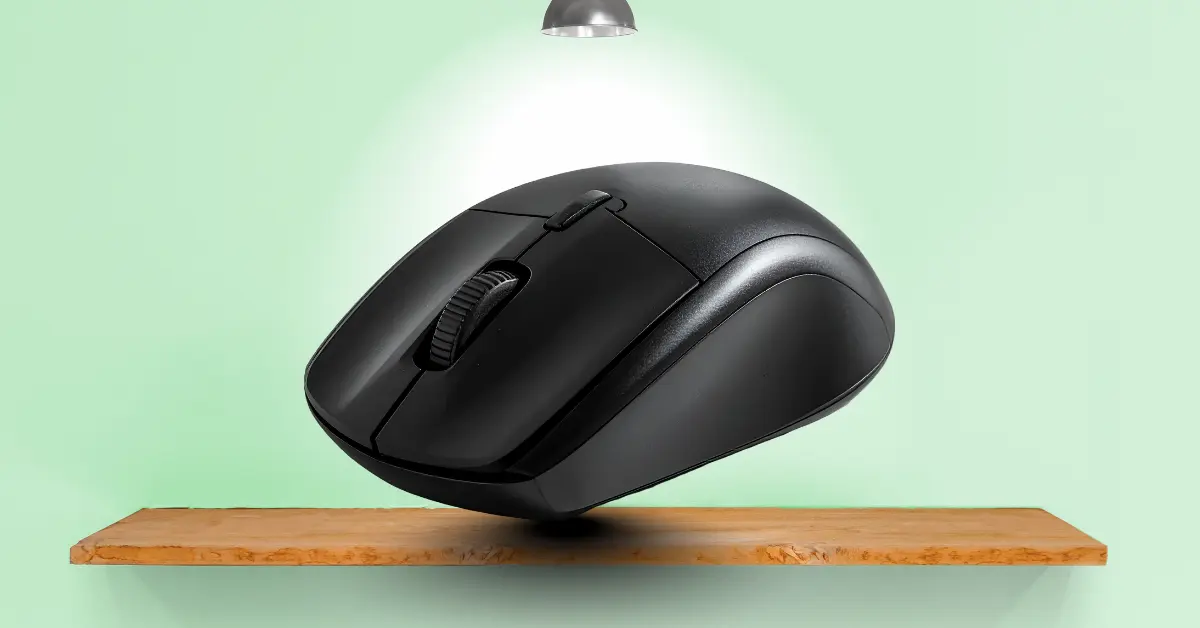
Do you know what helps a cursor move on a computer screen? It is a small device called a computer mouse. They are simple, yet powerful. With it, users can click, drag, and navigate their computer with ease.
What is a Computer Mouse?
A computer mouse is one of the most important tools for every computer user. It is an input device that helps people move the cursor, click buttons, and select items on the screen. There are many types of mice, including wired, wireless, optical, and gaming mice. Each of them makes using a computer faster and easier.
History of the Computer Mouse
The computer mouse is one of the most important tools for using a computer. It is a small device that helps people move the pointer, click buttons, and select items on the screen. But have you ever wondered how it started?
The first mouse was made in 1964. It was invented by Douglas Engelbart. He wanted a simple tool to help people control computers more easily. The first mouse was made of wood. It had only one button. It was bigger than the mice we use today.
Then, in the 1970s, engineers made a new version. They used plastic and added two buttons. This mouse was smaller and easier to use. It worked with computers that had a special screen called a monitor.
In the 1980s, the mouse became very popular. Companies like Apple and Microsoft used it with their computers. People started using mice at home and in offices. It is because the mouse made computers much easier to control.
Later, in the 1990s, the optical mouse was created. It is a mouse that uses light to detect movement. Then, wireless mice were invented. They do not need a cable and give more freedom to move.
Today, there are many types of mice. They are wired, wireless, gaming, trackball, or ergonomic. All of them are based on the same idea that Douglas Engelbart started. The computer mouse has gone a long way from wood and one button to modern designs that are fast, precise, and comfortable.
How a Computer Mouse Works
A computer mouse is a small device that helps people control the computer. It is easy to use, but do you know how it works?
There are different types of mice, but they all do the same main job. They move the cursor on the screen. When someone moves the mouse, the sensor inside it detects the movement. Then, it sends a signal to the computer. The computer shows the cursor moving in the same direction.
When a button is clicked, the mouse sends a command to the computer. The left button usually selects or opens things. The right button shows extra options. The scroll wheel helps move up and down pages quickly.
Modern mice can use light or lasers to detect movement. Optical mice use a small light under the mouse. Laser mice use a laser for more precision. Wireless mice send signals through Bluetooth or radio waves.
Types of Computer Mouse
There are many types of computer mouse. Each of them works in a different way. Some are simple, and some have special features. They help people control the computer in the way that suits them best.
Here are 8 types of computer mouse for students.
- Wired Mouse
- Wireless Mouse
- Optical Mouse
- Laser Mouse
- Gaming Mouse
- Trackball Mouse
- Ergonomic Mouse
- Bluetooth Mouse
Parts of a Computer Mouse
A computer mouse has different parts. Each part has a special job. They work together to help people move the cursor, click, and scroll on the computer screen. Here are 10 parts of a computer mouse included.
- Left Button
- Right Button
- Scroll Wheel
- Laser Sensor
- Body
- Cable
- Wireless Receiver
- Pads
- DPI Button
- Battery Compartment
Features of a Computer Mouse
A computer mouse has many features. They make it easy to use and control the computer. Some features help move the cursor, some help click, and some make it more comfortable for long use. Here are 10 features of computer mouse included.
- Easy to Move: it is simple to move the cursor on the screen
- Left and Right Buttons: select, open, and get extra options
- Scroll Wheel: scrolls pages up and down quickly
- Laser Sensor: detects movement accurately
- Ergonomic Design: fits the hand and is comfortable to use
- Wired: connects to the computer easily
- Adjustable DPI: changes in speed and sensitivity of the cursor
- Extra Buttons: used for games or shortcuts
- Plug and Play: works immediately without extra setup
- Lightweight: easy to hold and move
Characteristics of a Computer Mouse
A computer mouse has many characteristics. They make it easy to use and help people control the computer. These characteristics show how the mouse works and why it is useful. Here are 10 characteristics of computer mouse included.
- Small Size: it is easy to hold in the hand
- Lightweight: easy to move around
- Easy to Use: simple for beginners and experts
- Fast Response: moves the cursor quickly
- Accurate: detects small movements precisely
- Comfortable Design: fits the hand and reduces strain
- Buttons: left, right, and sometimes extra buttons
- Scroll Wheel: scrolls pages up and down
- Wired or Wireless: can work with a cable or without
- Durable: lasts a long time with proper use
Advantages and Disadvantages of a Computer Mouse
A computer mouse has many uses. It is very helpful for controlling the computer. There are some advantages that make work easier. Then, there are some disadvantages that can cause small problems. Knowing both helps people use the mouse better.
10 Advantages of a Computer Mouse
- Easy to move the cursor
- Makes clicking simple
- Fast navigation on screen
- Helps select and open files quickly
- Useful for scrolling pages
- Works with games and drawing apps
- Comfortable for long use
- Precise movement with optical/laser sensors
- Extra buttons give shortcuts
- Can be wired or wireless
10 Disadvantages of a Computer Mouse
- Needs a flat surface
- Wireless mouse requires batteries
- Can cause hand strain if used long
- Wired mouse can tangle the cable
- Some mice are heavy
- Not always suitable for small desks
- Buttons can wear out over time
- Scroll wheel can get stuck or dirty
- Needs regular cleaning for smooth movement
- Some mice are expensive
Conclusion
The computer mouse is a small but very important device. It is easy to use and helps people control the computer quickly. There are many types, parts, features, and characteristics that make it useful. It is very helpful for clicking, scrolling, and moving the cursor. Then, knowing its advantages and disadvantages helps people use it better. Overall, the computer mouse makes working on a computer faster, easier, and more comfortable.
FAQs about Computer Mouse
Here are some questions about what is a computer mouse for students.
What is a computer mouse?
It is a small device that helps people move the cursor and click items on a computer.
How does a computer mouse work?
It moves the pointer on the screen when the mouse moves. Buttons send commands to the computer.
What are the types of a computer mouse?
There are wired, wireless, optical, laser, gaming, trackball, and ergonomic mice.
What are the parts of a computer mouse?
There are buttons, scroll wheel, sensor, body, cable or receiver, and feet/pads.
What is the difference between wired and wireless mouse?
A wired mouse uses a cable. A wireless mouse works with batteries and signals.
What is an optical mouse?
It is a mouse that uses light to detect movement.
What is a laser mouse?
It is a mouse that uses a laser for more precise movement.
Can a computer mouse work on any surface?
No, it works best on a flat, smooth surface.
What are the advantages of a computer mouse?
It is easy to use, fast, precise, and helps scroll, click, and navigate quickly.
What are the disadvantages of a computer mouse?
It can cause hand strain, needs a flat surface, and wireless ones need batteries.
