

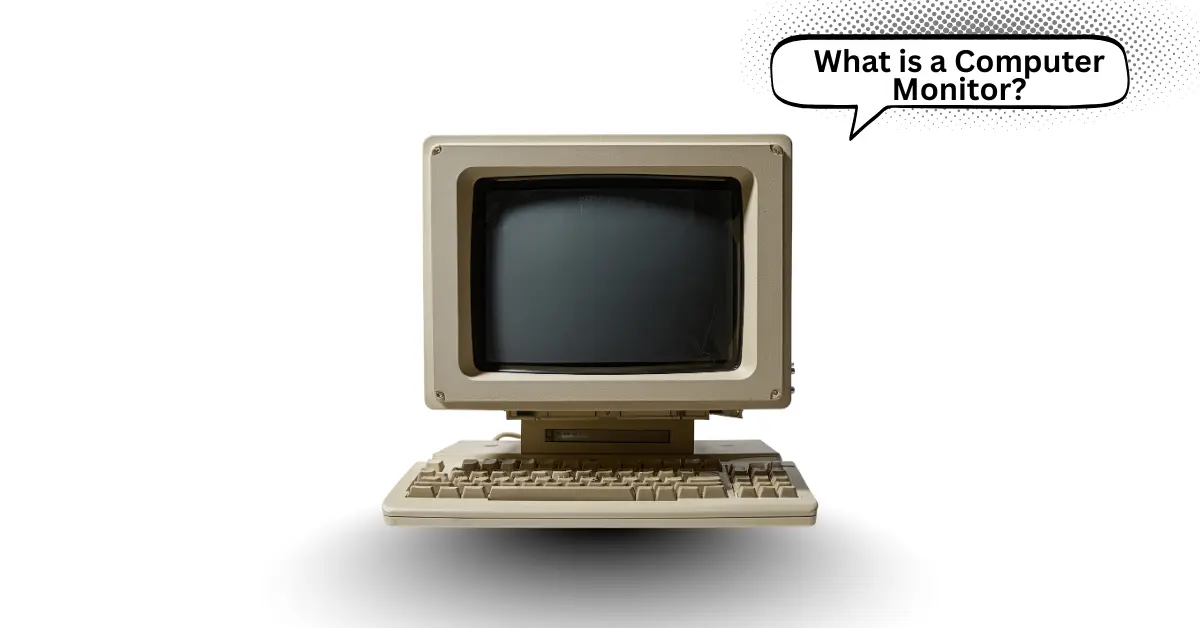
Sometimes using a computer feels frustrating when the screen is too small or blurry. That is where a computer monitor makes a difference. It is a device that shows everything clearly, so reading, gaming, and watching videos become easy and comfortable. Choosing the right monitor solves many common computer problems.
What is a Monitor?
A computer monitor is a device that shows everything happening on a computer. It is one of the most important parts of a computer setup. There are many types of monitors, such as LCD, LED, and OLED, and they are used for work, gaming, and entertainment. A good monitor makes it easier to see images, videos, and text clearly.
History of Computer Monitors
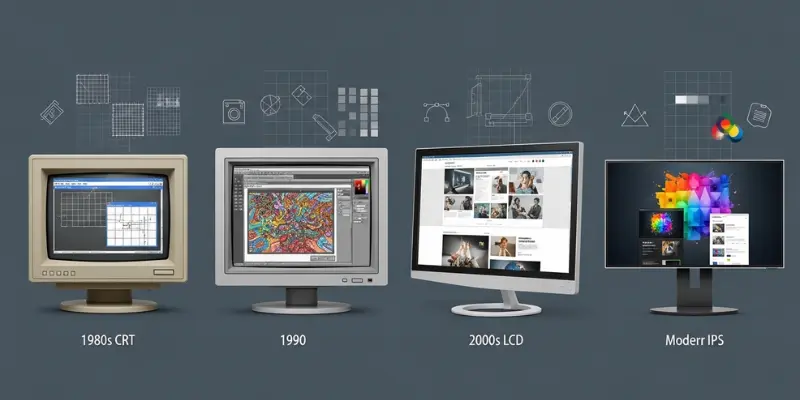
The history of the computer monitor is interesting. It is a story of how screens evolved to show clear images from computers. The first computer monitor was created in the early 1950s. It was made to help scientists and engineers see computer data easily. Over time, monitors have changed a lot. They are now bright, colorful, and fast, but they started as simple screens that only showed text.
The First Computer Monitor
The first computer monitor was created by William Higinbotham in 1952. It was used in a lab to show simple graphics. At that time, it was called a “CRT display”. CRT stands for Cathode Ray Tube. They were big, heavy, and only showed black and white images.
Monitors in the 1970s and 1980s
In the 1970s, monitors became smaller and easier to use. They were mostly CRT monitors for personal computers. Color monitors started appearing in the 1980s. They were still heavy, but users could now see colored text and images.
The Rise of LCD and LED Monitors
In the late 1990s and early 2000s, LCD (Liquid Crystal Display) monitors became popular. They were thin, lightweight, and used less electricity. Later, LED monitors replaced many LCD monitors. They were brighter, clearer, and more energy-efficient.
Modern Computer Monitors
Today, there are many types of monitors like OLED, curved, and ultrawide screens. They are fast, colorful, and very clear. Monitors are now used for work, games, movies, and creative projects.
Types of Computer Monitors
A computer monitor is not just one type. There are many types, and they are made for different purposes. They are designed to show images, videos, and text clearly. Some are best for work, some for games, and some for watching movies. Here is a complete list of the main 10 types of computer monitors:
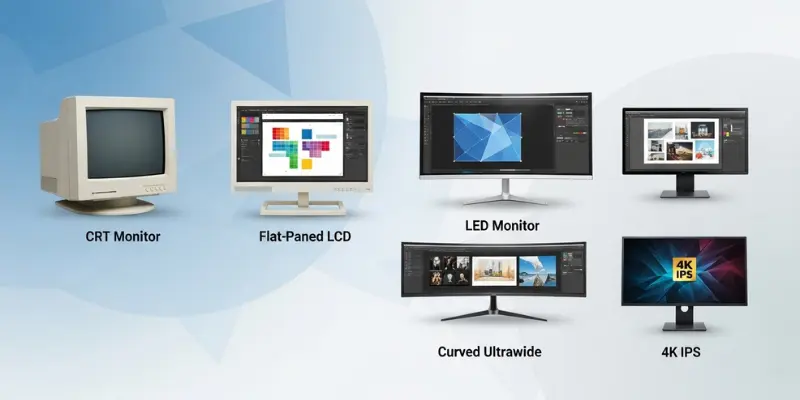
- LCD (Liquid Crystal Display) Monitor: They are common, thin, and affordable. Many offices and schools use them.
- LED (Light Emitting Diode) Monitor: They are bright, energy-saving, and modern. Most laptops and desktops use them.
- OLED (Organic Light Emitting Diode) Monitor: They are clear, colorful, and give deep blacks.
- Curved Monitor: They are slightly curved to give a wider and more immersive view. Good for gaming and movies.
- Touchscreen Monitor: They allow you to touch the screen to control the computer, like a tablet.
- Gaming Monitor: They have fast refresh rates and low response time for smooth gameplay.
- 4K Monitor: They give very high resolution for sharp images and videos.
- Ultrawide Monitor: They are wider than normal monitors and show more content side by side.
- Portable Monitor: They are small and easy to carry with laptops for work on the go.
- Professional/Designer Monitor: They show very accurate colors for photo or video editing.
Parts of a Computer Monitor
A computer monitor is made up of many parts that work together to show images, videos, and text. It is not just a screen; it is a device that has different components. Each part has a special job. Some parts make the display clear, some control colors, and some help the monitor connect to the computer. Knowing the parts helps users understand how a monitor works and how to use it better.
Main 10 Parts of a Computer Monitor
- Screen/Display Panel: It is the main part that shows images and videos.
- Backlight: It is behind the screen and makes the display bright.
- Bezel: The frame around the screen that protects the edges.
- Power Supply: It gives electricity to the monitor so it can work.
- Display Controller: It tells the screen what to show from the computer.
- Ports/Connectors: Places for cables like HDMI, VGA, or DisplayPort.
- Stand/Base: Holds the monitor and keeps it stable on the desk.
- Buttons/Controls: They adjust brightness, contrast, and other settings.
- Casing: The outer shell that protects all the parts inside.
- Cooling System: Fans or vents that keep the monitor from getting too hot.
Features of a Computer Monitor
A computer monitor has many features that make it easy and comfortable to use. It is not just a screen; it is a device that shows clear images, videos, and text. Some features make the display bright, sharp, and smooth. Other features help users work, play games, or watch videos without problems. Knowing these features helps anyone pick the right monitor for their needs.
Main 12 Features of a Computer Monitor
- Screen Size: It is the measurement of the display in inches. Bigger screens show more content.
- Resolution: It is how clear and sharp the images and text appear. Examples: HD, Full HD, 4K.
- Refresh Rate: It is how fast the screen updates the image. Higher refresh rates are smoother, especially for games.
- Response Time: It is how quickly pixels change color. Lower response time reduces blur in fast videos or games.
- Brightness: It is how light or bright the screen looks. Good brightness makes images easier to see.
- Contrast Ratio: It is the difference between the darkest and brightest areas on the screen. Higher contrast gives better colors.
- Color Accuracy: It is how real and accurate the colors appear on the screen.
- Connectivity Ports: HDMI, VGA, DisplayPort, and USB ports connect the monitor to computers and other devices.
- Adjustable Stand: It allows changing height, tilt, or rotation for better comfort.
- Built-in Speakers: Some monitors have speakers for sound without extra devices.
- Curved Screen (Optional): It gives a more immersive view for games or movies.
- Eye-Care Features: Flicker-free screens or blue light filters protect the eyes during long use.
Advantages and Disadvantages of a Computer Monitor
A computer monitor has many advantages that make using a computer easy and enjoyable. It is the main device that shows what the computer does. There are clear images, videos, and text on the screen. At the same time, there are some disadvantages that users should know. Understanding both helps anyone choose the right monitor and use it safely.
10 Advantages of a Computer Monitor
- Shows images, videos, and text clearly.
- Makes computer work easy and comfortable.
- Comes in different sizes for all needs.
- Some monitors are energy-efficient.
- Curved screens give an immersive view.
- High-resolution monitors show sharp images.
- Can connect to many devices via ports.
- Adjustable stands improve comfort.
- Built-in speakers reduce extra devices.
- Eye-care features protect eyesight.
10 Disadvantages of a Computer Monitor
- Can be expensive for high-quality models.
- Large monitors take more desk space.
- Some monitors use more electricity.
- Older screens may flicker or blur.
- Low-quality monitors have poor colors.
- Not portable like laptops.
- Can cause eye strain if used long.
- Some monitors overheat without cooling.
- Built-in speakers may be low quality.
- Repairs can be difficult or costly.
Conclusion
A computer monitor is an important part of any computer. It is the screen that shows everything from work to games and videos. There are many types, features, and sizes to choose from. They are useful, but some have disadvantages too. Knowing the parts, features, advantages, and disadvantages helps anyone pick the right monitor. A good monitor makes using a computer easier, more comfortable, and more enjoyable.
FAQs About Computer Monitor
Here are some questions about what is computer monitor for beginners students.
What is a computer monitor?
A computer monitor is a screen that shows images, videos, and text from a computer.
What are the types of computer monitors?
There are LCD, LED, OLED, and curved monitors. They are used for work, study, gaming, and entertainment.
How do I choose the right monitor?
It is best to choose based on purpose, screen size, resolution, and comfort.
What is screen resolution?
Screen resolution is how clear and sharp images appear on the monitor.
What is refresh rate?
Refresh rate is how fast the screen updates images. Higher rates make motion smooth.
Can a monitor affect eye health?
Yes. Long use of low-quality monitors may cause eye strain. Eye-care features help reduce it.
What ports are on a monitor?
Monitors have HDMI, VGA, DisplayPort, and sometimes USB ports for connecting devices.
Can I use a monitor for gaming?
Yes. Monitors with high resolution, fast refresh rate, and low response time are best for games.
What is the difference between a monitor and a TV?
Monitors are made for computers. They have faster response times and better resolution for close work.
Are all monitors energy efficient?
No. Some older or larger monitors use more electricity. LED monitors are usually energy-saving.
