

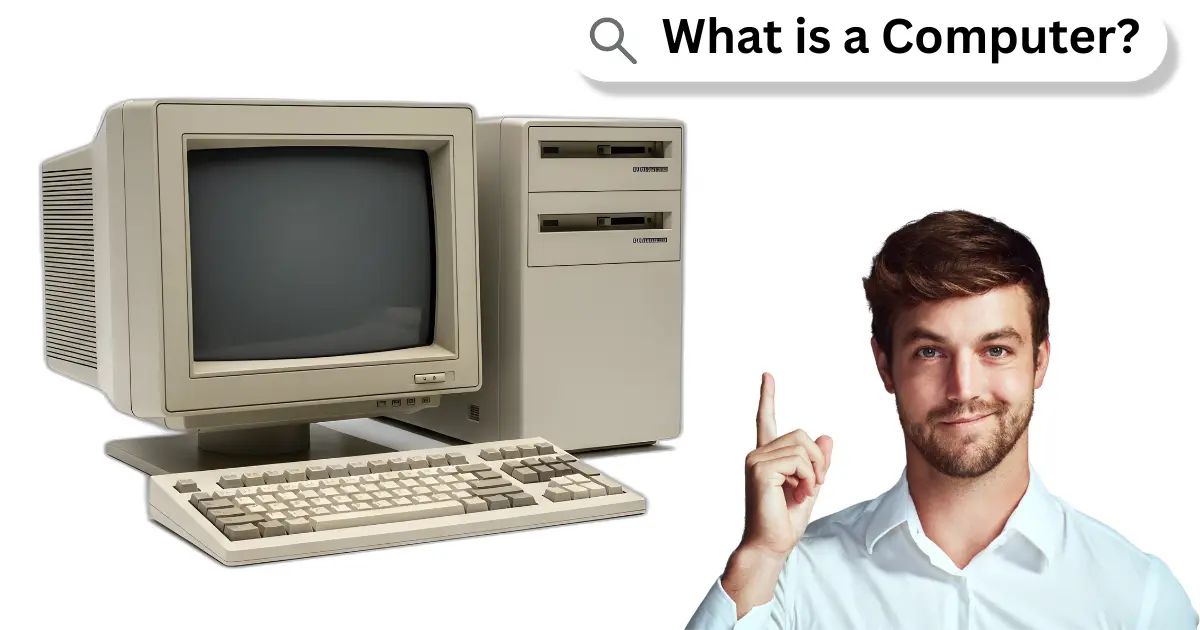
It is known that computers can do thousands of tasks in seconds. They are machines that process information and help people in work, school, and daily life. Knowing what is a computer makes it easier to use them for learning or fun.
Definition of a Computer
A computer is an electronic machine. It is made to help people do work faster. They are machines that take information, process it, and give results. It is used in schools, homes, and offices.
There are two main parts of a computer. One part is hardware, which is the physical part you can touch. The other part is software, which is a program that tells the computer what to do.
History of Computers
As long ago as 3000 BC, people used simple tools to count. Kh people first used stones, sticks, and fingers to solve problems. Then, the abacus was invented. It is considered the first computer. Kh in 1642, Blaise Pascal made a machine to add numbers. Later, in 1940, the first electronic computer was built. It was very big and filled whole rooms.
Early Counting Tools
Long ago, people used simple tools to count. They used stones, sticks, and fingers. Then they made the abacus, which is one of the first calculating tools. It is simple but very useful.
Mechanical Computers
In the 1600s, people made machines to calculate faster. These were called mechanical computers. They had gears and wheels. They could add, subtract, and do simple math.
First Electronic Computers
In the 1940s, the first electronic computers were built. They were very big and filled whole rooms. It is amazing that they could do math faster than humans.
Modern Computers
Then computers became smaller and faster. There are desktop computers, laptops, and tablets today. They can do many tasks like writing, drawing, and learning.
Computers Today
Today, computers are part of daily life. They are in homes, schools, offices, and even phones. They are used for work, study, games, and entertainment.
Parts of a Computer
It is important to know the parts of a computer. They are the pieces that make the computer work. Each part has a special job.
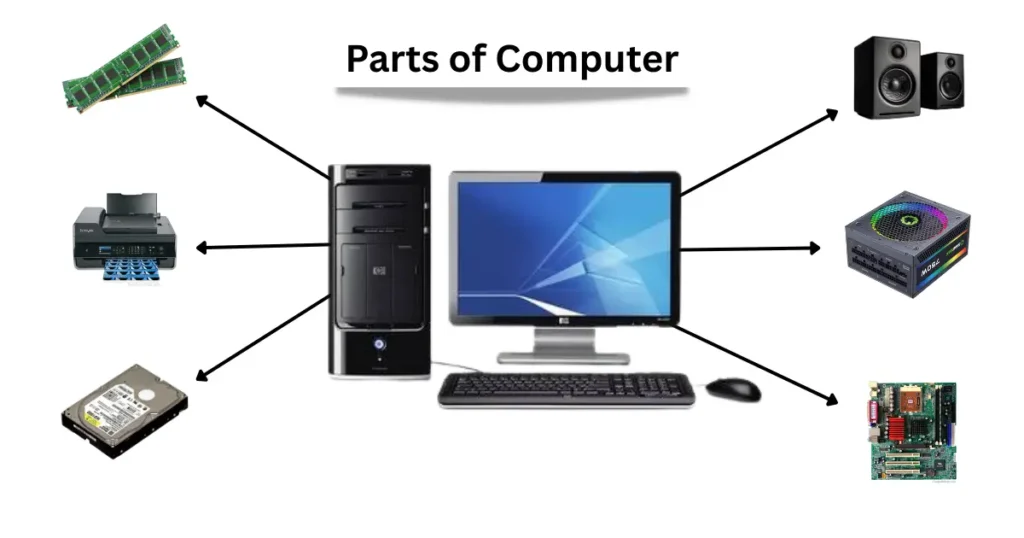
Main 10 Parts of a Computer:
- Monitor: It is the screen that shows images and text.
- Keyboard: It is used to type letters, numbers, and commands.
- Mouse: It is used to move the cursor and click on things.
- CPU (Central Processing Unit): It is the brain of the computer. It processes information.
- RAM (Random Access Memory): It is short-term memory. It helps the computer work fast.
- Hard Drive / SSD: It stores all information and files.
- Motherboard: It connects all parts together.
- Power Supply: It gives electricity to all parts of the computer.
- Speakers: They produce sound.
- Printer: It prints documents and images.
Types of Computers
It is important to know the types of computers. They are different because they do different work. Each type is useful in its own way.
Main 10 Types of Computers:
- Desktop Computer: It is big and stays on a desk. They are used at home, school, and offices. They have a monitor, keyboard, and mouse.
- Laptop Computer: It is small and easy to carry. They are used for school, work, and travel. They can do the same tasks as a desktop.
- Tablet: It is touch-screen and easy to hold. They are used for reading, watching videos, learning, and playing games.
- Smartphone: It is small and fits in the hand. They can call, text, browse the internet, and run apps like a computer.
- Supercomputer: It is very fast and powerful. They are used for science, weather forecasting, space research, and large calculations.
- Server Computer: It gives information and data to other computers on a network. They are used in offices, schools, and websites.
- Mini Computer: It is smaller than a mainframe but bigger than a personal computer. They are used in small businesses and laboratories.
- Mainframe Computer: It is very large and powerful. They are used by banks, government offices, and large companies to handle huge data.
- Wearable Computer: It is small and worn on the body. Examples are smartwatches and fitness trackers. They help track health and connect to other devices.
- Embedded Computer: It is inside other machines. Examples are washing machines, cars, and cameras. They control specific tasks automatically.
How a Computer Works
It is important to know how a computer works. They are machines that take information and give results. Each part of a computer has a job to do.
- Input: They are the data and instructions given to a computer. It is done using a keyboard, mouse, or touch screen.
- Processing: It is what the computer does with the information. The CPU, or brain of the computer, processes the data and makes decisions.
- Output: It is the result shown by the computer. It comes on the monitor, printer, or speakers.
- Storage: It is where the computer keeps information. Hard drives, SSDs, and memory store data for now or later use.
- Control: It is how the computer manages all its parts. The operating system guides the computer to work correctly.
Uses of Computers
It is important to know the uses of computers. They are machines that help people in many ways. They make work faster and easier.
Main 10 Uses of Computers:
- Education: They are used in schools and colleges. They help students learn, do homework, and research topics.
- Office Work: They are used in offices for typing, sending emails, and managing data.
- Home Use: They are used at home to watch videos, play games, and browse the internet.
- Banking: They help banks keep records, transfer money, and manage accounts.
- Medical Field: They are used in hospitals for patient records, tests, and reports.
- Science and Research: They help scientists solve problems, do experiments, and analyze data.
- Entertainment: They are used for watching movies, listening to music, and playing games.
- Communication: They help people talk to each other using email, video calls, and social media.
- Government Work: They help manage data, issue documents, and run government programs.
- Shopping and Business: They are used for online shopping, keeping records, and selling products.
Advantages and Disadvantages of Computers
It is important to know both advantages and disadvantages of computers. They are very helpful, but they also have some problems.
10 Advantages of Computers
- Fast Work: They complete tasks quickly.
- Save Time: They reduce the time needed for work.
- Store Data: They can keep large amounts of information.
- Help in Learning: They help students study and research.
- Easy Communication: They allow emails and video calls.
- Accurate Results: They make fewer mistakes than humans.
- Entertainment: They provide movies, music, and games.
- Automation: They can run tasks automatically.
- Global Access: They help people connect worldwide.
- Easy Problem Solving: They can calculate and analyze quickly.
10 Disadvantages of Computers
- Health Problems: Long use can harm eyes and body.
- Too Much Dependence: People may rely on computers too much.
- Costly: Good computers can be expensive.
- Security Risks: Data can be stolen or hacked.
- Reduced Physical Activity: Sitting long may cause inactivity.
- Addiction: People may spend too much time on computers.
- Technical Problems: Computers can stop working or crash.
- Data Loss: Important files may be lost if not backed up.
- Job Reduction: Some work is replaced by computers.
- Pollution: Manufacturing and disposal of computers can affect the environment.
FAQs About What is a Computer
Many people ask questions about what is a computer?. Here are some common FAQs about computer are inculded.
What are 5 parts of a computer?
Here are 5 main parts of a computer:
Monitor
Keyboard
Mouse
CPU (Central Processing Unit)
RAM (Random Access Memory)
What are 5 types of computers?
Here are 5 main types of computers:
Desktop Computer
Laptop Computer
Tablet
Smartphone
Supercomputer
What are 5 uses of a computer?
Here are 5 main uses of computers:
Education
Office work
Home use
Entertainment
Communication
What are 5 advantages of a computer?
Here are 5 main advantages of computers:
Fast work
Save time
Store data
Help in learning
Accurate results
What are 5 disadvantages of computers?
Here are 5 main disadvantages of computers:
Health problems
Too much dependence
High cost
Security risks
Reduced physical activity
What are 5 features of a computer?
Here are 5 main features of computers:
Speed
Accuracy
Storage
Automation
Connectivity
What are 5 characteristics of a computer?
Here are 5 main characteristics of computers:
Electronic device
Programmable
Fast processing
Multi-tasking
User-friendly
Conclusion
It is clear that a computer is a helpful electronic machine. They are used to do work fast and easily. There are different parts and types of computers. They are used in schools, homes, offices, and many other places.
A computer helps people learn, work, and communicate. They save time and store information safely. Knowing the basics of a computer helps everyone use it in a better way in daily life.
