

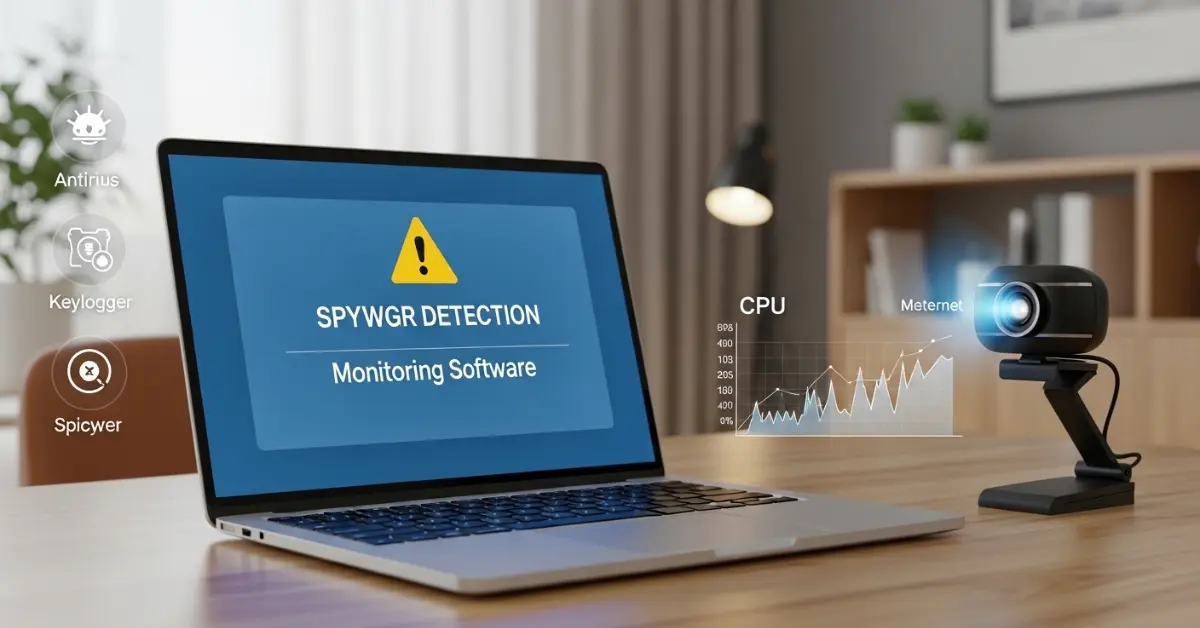
Computers are part of daily life for work, study, and fun. They store photos, files, and passwords. If someone tracks activity, privacy may be gone. That is why learning How to Know If Your Computer Is Being Monitored helps users stay alert and keep their systems safe.
What Is Computer Monitoring?
Computer monitoring is a process where a computer activity gets tracked or recorded. There are special programs that watch what a user does on a system. They are used for security, safety, or control.
May also useful
Common Signs Your Computer Is Being Monitored
Many users feel worried when a computer starts acting in a strange way. Slow speed, random pop-ups, or unknown programs create doubt. These problems may point to hidden tracking tools. Below are the common warning signs that help users understand what is happening inside the system.
- Slow computer performance
- Unknown programs installed
- Webcam or microphone turns on automatically
- Strange pop-ups or browser changes
- High internet data usage
- Unusual background activity
1. Slow Computer Performance
A sudden drop in speed shows that hidden programs may run in the background. Monitoring tools use memory and processor power. The system may freeze or take longer to open apps. This change helps users notice that extra software may be active.
2. Unknown Programs Installed
New software that appears without user action raises concern. Monitoring tools often install secretly. A quick check in the installed apps list helps users find suspicious names. If a program looks strange, it may be a tracking tool.
3. Webcam or Microphone Turns On Automatically
A webcam light that switches on without reason signals possible monitoring. Some spyware tools access the camera or microphone. This activity shows that someone may try to record video or audio without permission.
4. Strange Pop-ups or Browser Changes
Random ads and homepage changes often link to malware. Monitoring software may change browser settings to track browsing habits. When search results look different, it may show hidden activity.
5. High Internet Data Usage
Monitoring tools send collected data to online servers. This action increases internet usage. If data use rises without heavy downloads, background tracking may be active.
6. Unusual Background Activity
The computer may show unknown processes in Task Manager. These processes run quietly and use system resources. Checking running programs helps users spot hidden monitoring tools.
How to Check If Your Computer Is Being Monitored
Sometimes a computer starts acting in a strange way. It becomes slow, shows unknown programs, or uses too much internet. Many users worry about privacy in this situation. This section explains How to Check If Your Computer Is Being Monitored in simple and clear steps. These checks help users find hidden tracking software and protect personal data.
- Check running processes
- Scan with antivirus software
- Review installed programs
- Check browser extensions
- Monitor internet usage
1. Check Running Processes
Running processes show active programs inside the system. A user can open Task Manager on Windows or Activity Monitor on macOS. There are programs listed that use CPU and memory. If a strange program uses high resources, it may be suspicious. This method helps users see hidden tools that run in the background.
2. Scan with Antivirus Software
Antivirus software detects harmful files. A full system scan checks every folder and program. It is a strong way to find spyware or tracking tools. When the scan finishes, the software will give a report. Users can remove detected threats easily.
3. Review Installed Programs
The installed apps list shows all software inside the computer. There are times when unknown programs appear without notice. A user should check names carefully. If a program looks strange or unfamiliar, it may need removal. This step helps find hidden monitoring tools.
4. Check Browser Extensions
Browser extensions add extra features to a web browser. Some extensions track browsing activity. A user should open browser settings and review installed extensions. Remove any tool that looks suspicious. This check helps stop tracking through the browser.
5. Monitor Internet Usage
Monitoring software sends data online. This action increases internet usage. A user can open network settings to see data activity. If internet usage is high without reason, it may show hidden monitoring. This step helps detect unusual background activity.
Types of Monitoring Software
Monitoring software it is a tool that tracks computer activity. There are different types used for safety, control, or spying. They are designed to record actions like typing, browsing, and file access. Some tools are legal for offices and parents. Other tools may harm privacy when hackers use them.
Here are 5 Types of Monitoring Software included:
- Spyware
- Keyloggers
- Remote Access Tools (RATs)
- Parental Control Software
- Employee Monitoring Software
1. Spyware
Spyware secretly collects user data. It is installed without clear notice. This software records browsing activity and sends data online. When spyware enters a system, private details may be at risk. A sudden slow system may show its presence.
2. Keyloggers
Keyloggers record keyboard typing. They are used to capture passwords and messages. Some companies use them for monitoring office devices. Other keyloggers may steal private information. If login details are gone, a keylogger may be the cause.
3. Remote Access Tools (RATs)
Remote Access Tools allow another person to control a computer from a different location. It is useful for technical support. When hackers use it, privacy becomes unsafe. The mouse may move by itself or files may open without user action.
4. Parental Control Software
Parental control software helps parents track child activity online. It is legal and safe when used properly. They are designed to block harmful websites and monitor screen time. This type focuses on protection.
5. Employee Monitoring Software
Employee monitoring software tracks work activity on office computers. There are companies that use it for productivity checks. It is common in workplaces. This software records login time, browsing activity, and task progress.
How to Protect Your Computer from Monitoring
Computer monitoring it is a process that can put privacy at risk. There are legal tools for offices and parents. Other tools may harm privacy when hackers use spyware or keyloggers. Users shall take simple steps to stay safe.
- Keep the system updated
- Use strong passwords
- Turn on firewall protection
- Avoid suspicious downloads
- Scan regularly with antivirus
1. Keep the System Updated
Operating system updates fix security problems. It is important to install updates when they appear. Updates help close holes that monitoring software may exploit.
2. Use Strong Passwords
Passwords protect accounts and data. They are strong when they combine letters, numbers, and symbols. Avoid simple words or repeated passwords. This step helps prevent unauthorized access.
3. Turn On Firewall Protection
A firewall blocks harmful connections. It is included in most systems. Users shall ensure it is turned on. Firewalls stop unknown programs from sending data online.
4. Avoid Suspicious Downloads
Unsafe downloads often carry monitoring tools. If a file comes from an unknown source, do not open it. Users shall download software from official websites only.
5. Scan Regularly with Antivirus
Antivirus programs detect spyware and malware. It is important to run full system scans regularly. They are effective to remove hidden monitoring tools before they cause harm.
Conclusion
Knowing How to Know If Your Computer Is Being Monitored helps users protect privacy and stay safe online. There are clear warning signs like slow performance, unknown programs, high internet usage, or webcam and microphone activity. They are easy to check with simple tools like Task Manager, antivirus scans, and reviewing installed apps.
FAQs About How to Know If Your Computer Is Being Monitored
Here are some common questions users search for about computer monitoring, answered in simple and clear language.
Can someone monitor my computer without me knowing?
Yes, it is possible. Hackers or spyware can run secretly in the background. There are tools that record browsing, typing, and file activity without showing alerts. Users shall check running processes, installed programs, and internet usage to detect hidden monitoring.
How do I know if my webcam or microphone is being monitored?
If the webcam light turns on unexpectedly or the microphone seems active without reason, monitoring may be happening. They are signs that spyware or remote access tools may be installed. Cover the webcam when not in use and check for unknown programs controlling devices.
What is spyware and how does it monitor computers?
Spyware is a type of monitoring software that secretly tracks activity. It is installed through unsafe downloads, phishing links, or unknown attachments. Spyware records browsing history, keystrokes, and personal data, then sends it online. Regular antivirus scans can help detect spyware.
Can my employer legally monitor my computer?
Yes, many companies monitor office computers for security and productivity. It is legal when the device belongs to the company. Employers may track login times, internet activity, and software usage. Other monitoring, however, done without permission, is illegal.
How do I check if a keylogger is on my computer?
Keyloggers record typing secretly. Users shall check running processes in Task Manager (Windows) or Activity Monitor (macOS). Suspicious programs using high CPU or memory may indicate a keylogger. Antivirus scans also detect many keyloggers.
Does antivirus software stop monitoring software?
Yes, most antivirus programs can detect spyware, keyloggers, and other monitoring tools. They are effective when updated regularly and used for full system scans. Users shall remove any threats the antivirus finds.
Can public Wi-Fi make my computer more vulnerable?
Yes, public Wi-Fi networks are less secure. Hackers can try to monitor activity through unsafe networks. Users shall avoid sensitive activities like online banking on public Wi-Fi or use a trusted VPN to protect data.
What are the warning signs that my computer is being monitored?
Slow system performance
Unknown programs installed
Webcam or microphone turning on
Strange browser pop-ups or extensions
High internet usage without reason
How do I remove monitoring software from my computer?
Steps to remove monitoring tools:
Disconnect the internet
Run a full antivirus scan
Remove suspicious programs
Check browser extensions and remove unknown ones
Change all passwords
Reset the system if problems continue
Is a factory reset enough to stop monitoring?
Yes, a full system reset can remove most monitoring software. Users shall backup important files first. After the reset, reinstall only trusted software from official sources. This step ensures spyware or hidden monitoring tools are gone.
